v1.0.0 · Windows x64 · ExifTool bundled

Every field.
Every photo.
Fully editable

Read ALL metadata in any image — EXIF, IPTC, XMP, GPS, ICC, MakerNotes — then edit anything & everything you want!. Missing GPS? Add it. Your originals are always backed up automatically.

Runs locally · No install · Free to use · Originals auto-backed-up

SIZE: ~41 MB  ·  OS: Windows 10/11 (64-bit)  ·  VERSION: 1.0.0
First launch: Windows will show a blue "protected your PC" pop-up — this is normal.

Because this app is free and not signed with a paid corporate certificate, Windows SmartScreen shows "Windows protected your PC — unknown publisher" the first time you run it. It is completely harmless — it just means Microsoft doesn't recognize an indie developer's signature yet.

To run it: click More info then click Run anyway. That's it — you'll only see this once.

Safe to run. Open-source. No install, no data collection, nothing runs in the background.

See everything. Edit anything.

Most photo tools show you a handful of "safe" fields and hide the rest. Photo Meta Editor reads every single tag in a photo using a bundled copy of ExifTool (the industry-standard metadata engine — no separate install needed) and lets you edit any field that's actually writable.

  • Reads ALL metadata — EXIF, IPTC, XMP, GPS, ICC profiles, and manufacturer MakerNotes (Apple, Samsung, Canon, Sony, Nikon, Google & more).
  • Edit writable fields — captions, keywords, ratings, copyright, dates, camera tags, and more.
  • ADD GPS coordinates — put a location on photos that have none. Just type decimal latitude/longitude; the app handles the N/S/E/W details for you.
  • Automatic originals backup — the first time you edit a photo, a pristine copy is saved as filename_original. Nothing is ever lost.
  • Safe by design — read-only/computed fields are locked so you can't corrupt a file. Only the green fields are editable.
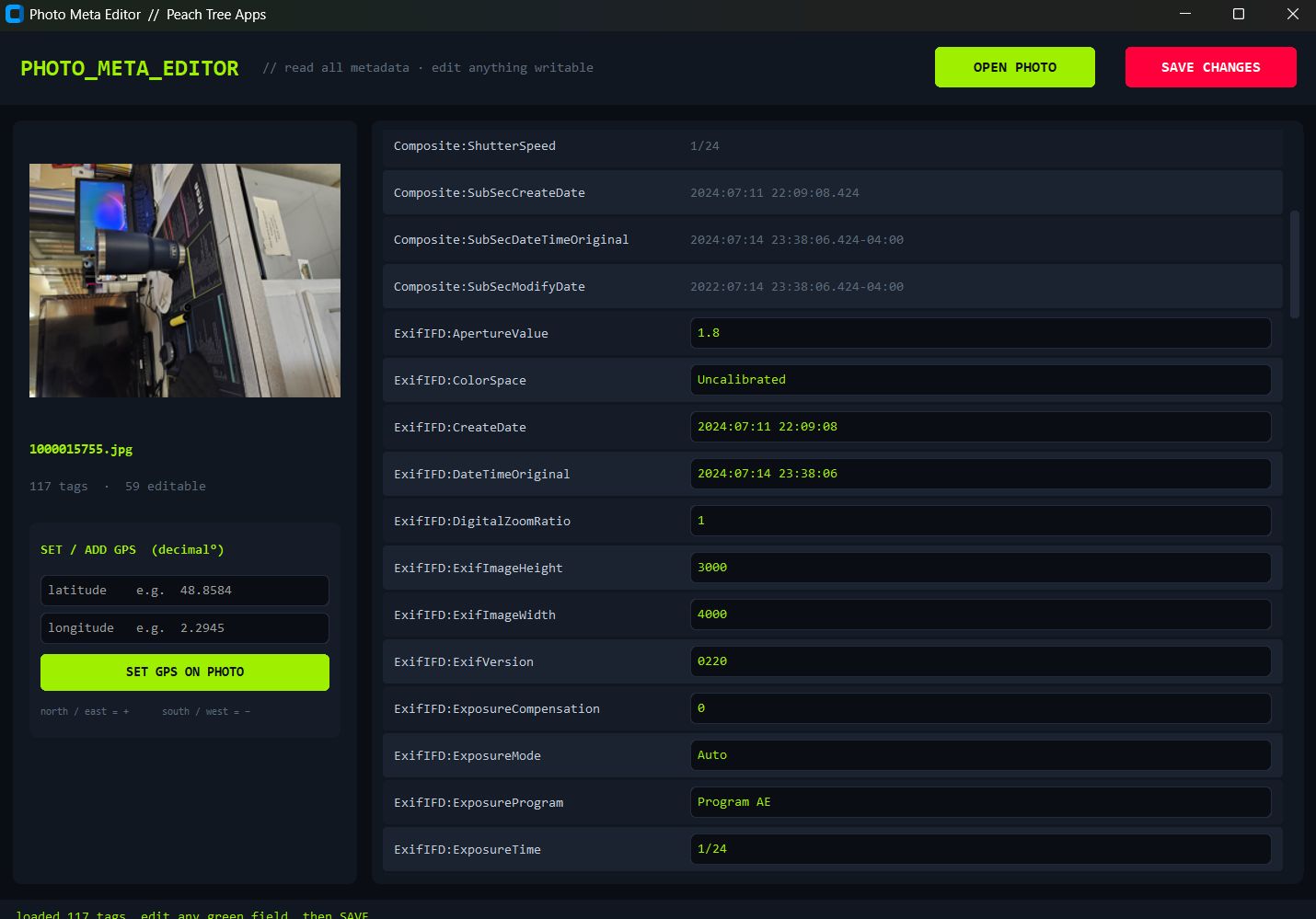
Photo Meta Editor running on Windows — reading and editing all metadata from a photo
The actual app — 117 tags read, green fields editable, GPS ready to write.

Five steps, under a minute

01
Download the app Click the red Download for Windows button. You'll get a single PhotoMetaEditor.exe — no installer, no setup wizard.
02
Run it (accept the SmartScreen prompt) Double-click the .exe. On first launch Windows shows the blue "protected your PC" pop-up — click More info → Run anyway. Totally safe (see the red banner up top).
03
Open a photo Hit Open Photo and pick any image. Every tag it contains loads instantly into the table.
04
Edit fields or add GPS Type new values into any green (editable) field. To geotag a photo with no location, enter decimal latitude & longitude in the Add GPS box.
05
Save changes Click Save. Your edits are written to the photo, and a pristine _original backup is kept automatically the first time you touch a file.

Requirements

Operating System
Windows 10 / 11
Architecture
64-bit
To Install
Nothing
Price
Free

› ExifTool is bundled inside the app — there is nothing else to download, install, or configure. Just run the .exe.

Signal from the field

photometaeditor@telemetry: ~ $ tail -f live_feed Live
Visits Today
···
 
Total Visits
···
since deployment
.exe Downloads
···
all releases · via GitHub
Your Origin
···
 
Top origins (by session)
› collecting signal...
Visits are counted once per browser session. Download totals are pulled live from GitHub Releases (the source of truth). No cookies, no third-party trackers, no accounts.

Download Photo Meta Editor now

One file. No install. Read and edit every piece of metadata in your photos.

Download for Windows — It's FREE
SIZE: ~41 MB  ·  FILE: PhotoMetaEditor.exe